
Checkout Customizer
Hide, rename and sort payment and shipping methods with rules
Set rules that change what buyers see at checkout, and stop orders you do not want to fulfil.
Install from the Shopify App Store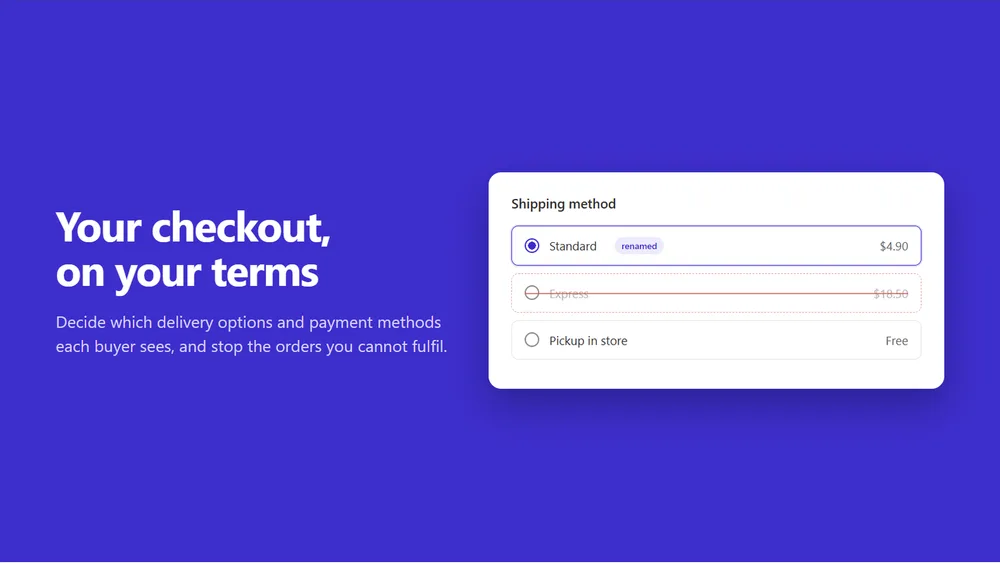
What it does
Checkout shows every delivery option and payment method you offer, to everyone. This app lets you decide otherwise. Build a rule from a template or from scratch: hide express shipping under a cart value, rename a carrier code nobody recognises, move your preferred payment method to the top, or block checkout when the postal code is outside the area you deliver to, with your own message on the field that is wrong. Rules run as Shopify Functions, so nothing is added to your storefront.
- Hide, reorder or rename delivery options based on cart, customer or address
- Same for payment methods, so cash on delivery only shows where you want it
- Block checkout on cart total, postal code, email or a missing address line
- 21 templates covering the rules merchants ask for most, editable after use
- Runs inside Shopify as a Function, so no script and no storefront slowdown
How it works
- 01
Pick a template
Start from one of 21 templates, such as turning off cash on delivery on expensive baskets, dropping a shipping rate in chosen countries or stopping orders to certain postcodes. Or start from scratch.
- 02
Set the conditions
A rule reads the cart, the customer and the address: cart total and quantity, products, country, market, postal code, email, customer tags, order count and B2B company. Combine conditions with AND and OR.
- 03
Shopify runs it at checkout
Saving publishes the rule as a Shopify Function for delivery options, payment methods or checkout validation. It runs inside Shopify on every checkout, with nothing added to your theme.
Good to know
Written down here, not discovered after you install.
- A rule can never hide every delivery option or every payment method. The app stops that, so no buyer is left with nothing to choose.
- A renamed shipping rate keeps the carrier name in front of it. Shopify adds it, and no app can remove it.
- The cheapest shipping rate has to stay first when you reorder rates. That is Shopify policy, and the app follows it instead of overriding it.
- Shopify gives apps no list of a store’s payment methods, so you type the name as it shows at checkout. Common names are suggested.
- A checkout validation message also shows on the cart page, which is why the app asks for the Online Store sales channel.
Install Checkout Customizer
Free, with every feature on the free plan.


